
If you need to send a package back to the retailer, you can request a Return to Sender through your account. Here's how it works.
Before You Start
Request the return directly with the retailer first. You'll usually need a prepaid returns label and the returns address from them.
How to Request a Return with forward2me
- Log into your account on the forward2me website.
- Go to your Package Inbox and select the package you want to return.
- Choose how to return it:
- If the retailer gave you a prepaid returns label, select "I will upload a prepaid label" and upload it from your account (including any relevant QR codes).
- If the retailer can't provide a prepaid label, choose the Use Domestic Service option to send the package back using our domestic returns service.
- Submit your request. Our warehouse team will then prepare the return shipment.
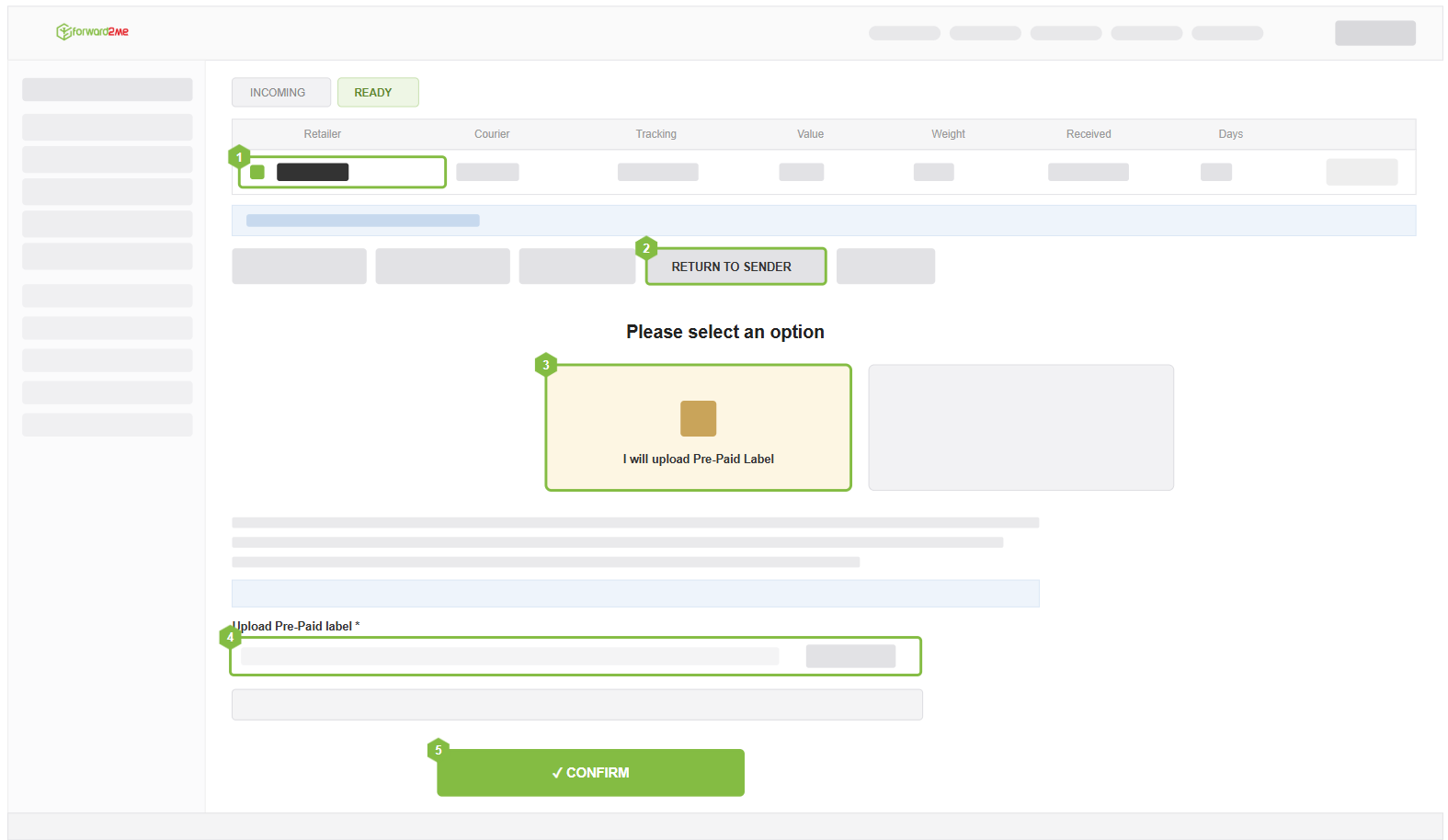
If there's any issue with the prepaid label or returns address you've provided, or if we're unable to proceed with your Return to Sender request, we'll email you as soon as possible.
Using a Prepaid or Retailer-Issued Label
You can return a package using a prepaid, retailer-issued label. Submit a Return to Sender request through your account and upload the label, including any QR codes.
If a Prepaid Return Is Lost, Delayed, or Damaged
forward2me isn't able to accept or process compensation claims for packages returned using a prepaid label. Because the label was issued by the retailer rather than generated by forward2me, the shipping contract and liability rest between you and the retailer or carrier who issued the label.
If your tracking shows no progress, or the package is marked undeliverable, contact the retailer who provided the label — or the shipping carrier — directly to trace the package or file a claim.
Drop-off Returns Aren't Supported
We can't accept return labels that require dropping the package off at a location, as our staff aren't able to travel to these locations. Returns need to be collected by the courier directly from our warehouse.
See Return to Sender.
If you have further questions, please contact our Customer Experience team.