
If your package shows as delivered by the carrier but isn't visible in your account yet, here's what to check and how to report it.
Allow Time for Intake
If the carrier marks your package as delivered but it isn't in your account, please allow up to 24–48 hours for intake and scanning. During peak periods, there may be slight delays.
If It's Still Not There After 48 Hours
If your package still isn't visible after 48 hours, report it through your account and we'll investigate with the carrier and our warehouse team:
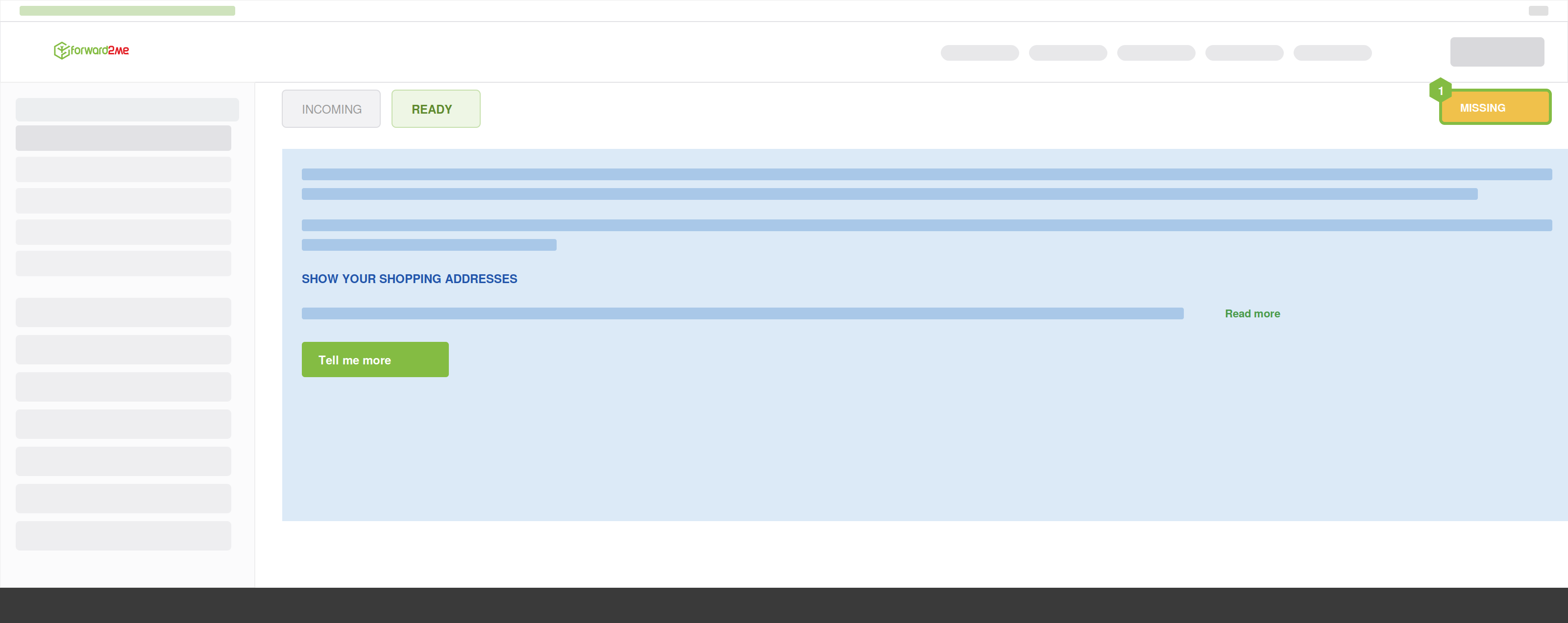
- Select Missing.
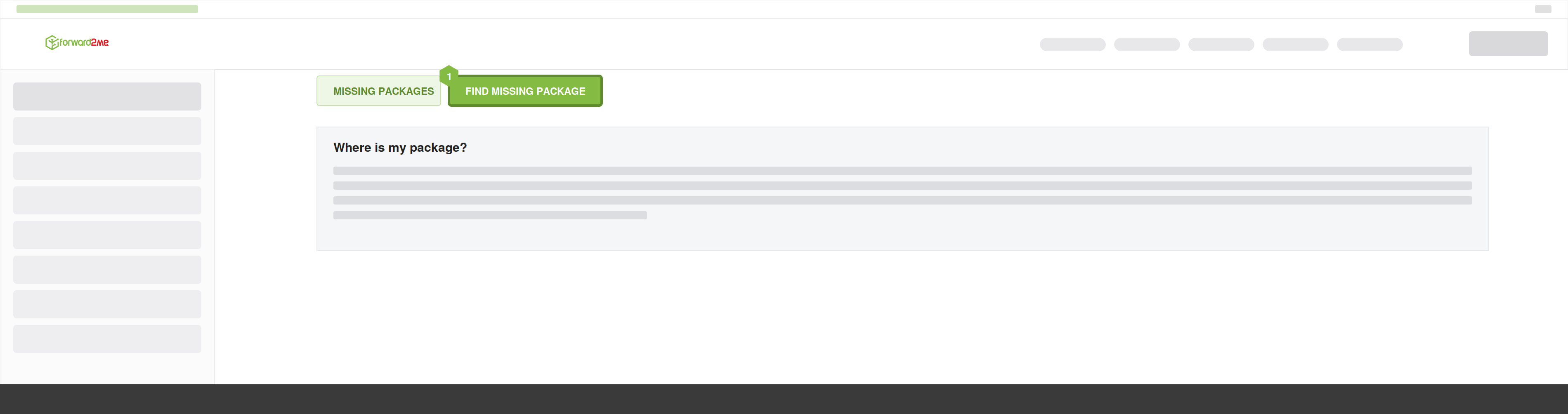
- Choose Find Missing Package.
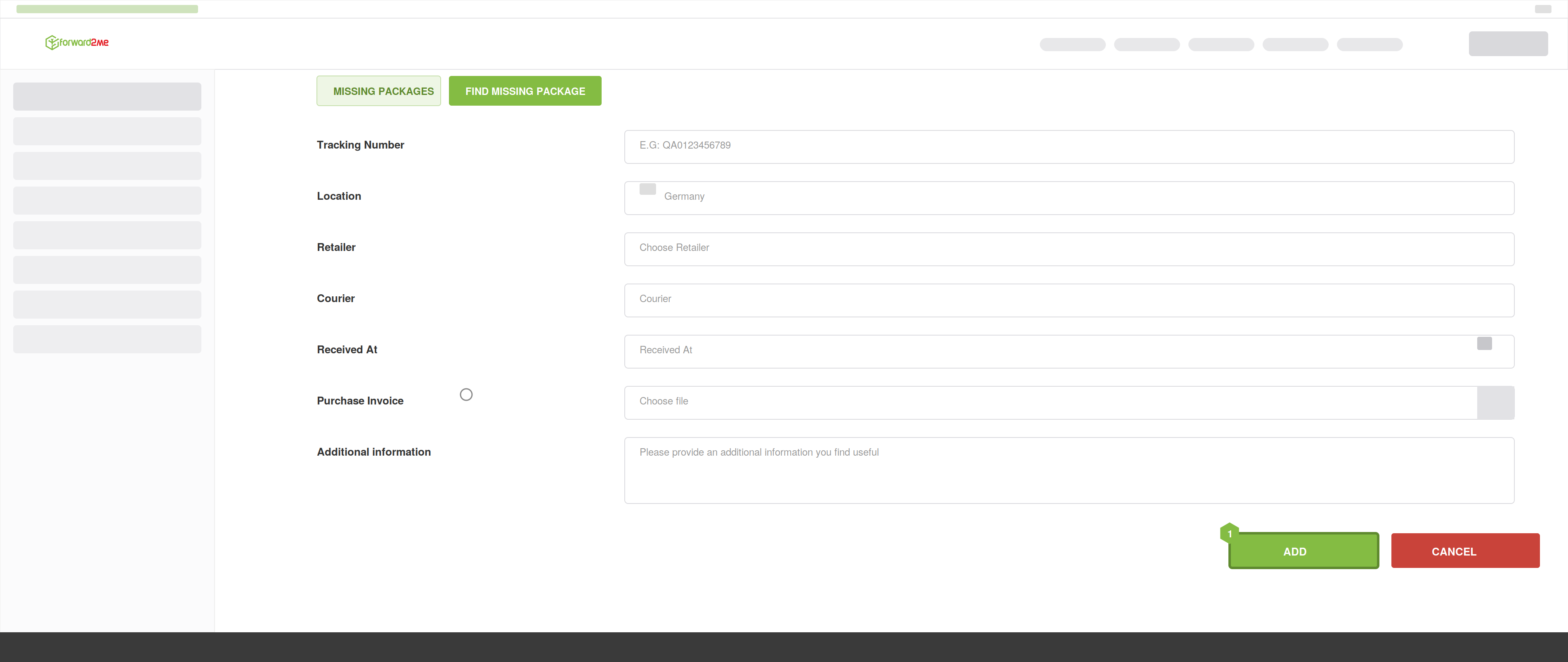
- Complete the form with accurate details and submit.
Can a Package Go Missing Before It Reaches Your Account?
Rarely, a package may be misdelivered, delayed, or mislabeled by the courier. We'll work with the carrier and our warehouse team to trace the shipment.
We can only investigate packages that were delivered to our warehouse. If a package never reached us, it needs to be taken up with the retailer or the carrier, who hold the tracking and delivery information up to that point — we're happy to help you work out which is the case. Because our cover begins only once we've received your item, a package lost before it reaches us isn't a forward2me claim.
Reporting Deadline
Please report a missing incoming package within 30 days of the carrier's delivery confirmation date, so we can investigate. After 30 days, we may not be able to trace it.
What Happens After You Report
- We check our warehouse intake records.
- We verify the courier's delivery details.
- We contact the carrier if needed.
- We update you with the outcome of the investigation.
If Your Package Was Received but Not Linked to Your Account
Sometimes a package arrives at our warehouse but isn't matched to your account — often because a Customer ID was missing from the shipping address. If you see a message that your tracking number relates to a package already received, contact our Customer Experience team with the tracking number and we'll assign it to the correct account.
Adding your Customer ID to your forwarding address helps prevent this. See Customer ID.
If you have further questions, please contact our Customer Experience team.