
You can now change the email address on your forward2me account yourself, from your profile — no need to contact us. For security, we confirm the change by email before it takes effect.
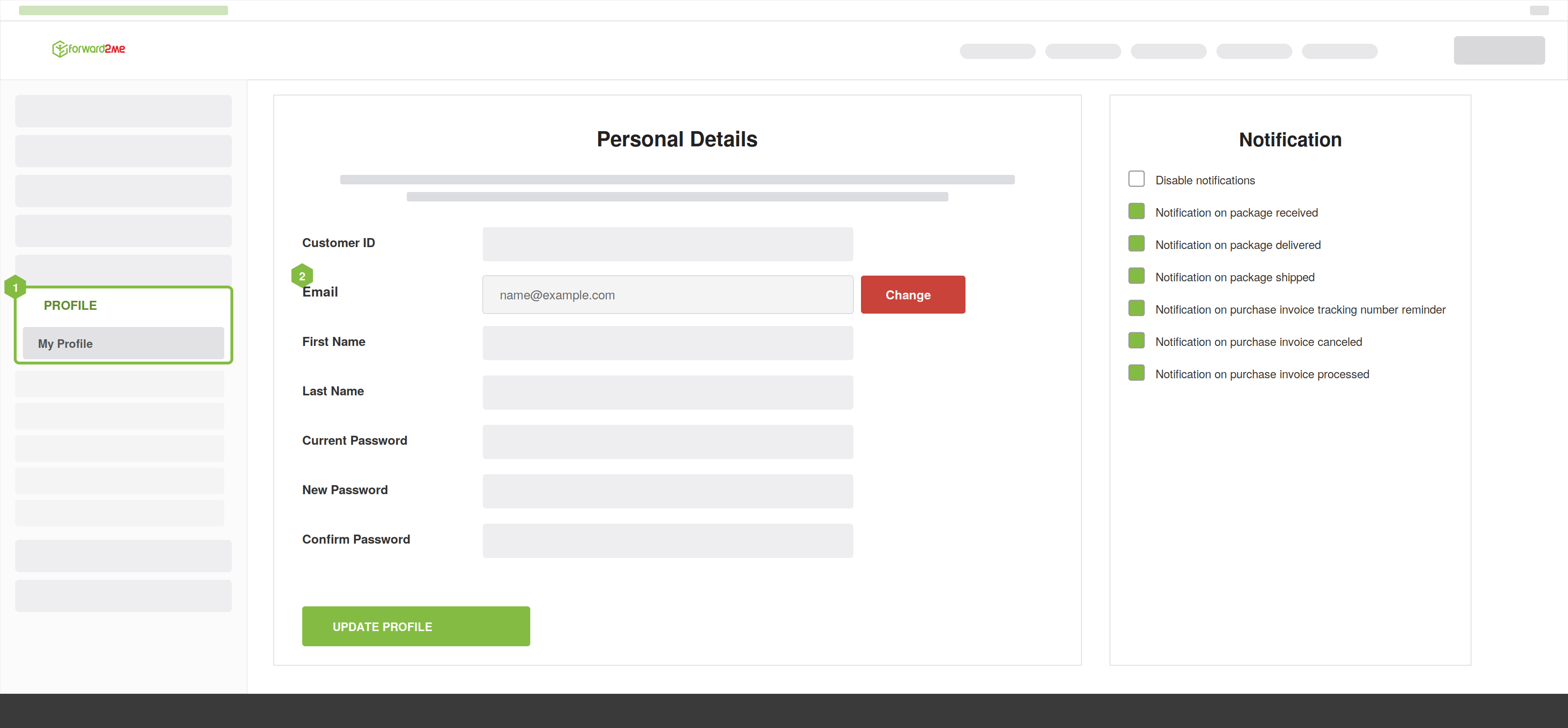
- Go to ‘My Profile’ in your account and tap ‘Change’ next to your email address.
- Enter your new address and current password.
- Check your current inbox. We send a confirmation link to your old email address. The link is valid for 24 hours.
- Confirm the change. Click the link to confirm. Until you do, nothing changes — you keep signing in with your old address in the meantime.
- Sign back in. Once confirmed, you're signed out and sign in again with your new email address.
We send the confirmation to your current email address so that only you can approve the change. If someone else tried to move your account to a different email, they couldn't complete it without access to your existing inbox.
If You Signed Up With Google or Facebook
If you originally signed up through a social login (such as Google or Facebook), you'll be asked to set a password first. From then on, you'll sign in with your email address and password rather than the social login.
If you have further questions, please contact our Customer Experience team.