
Some retailers add an extra layer of security to higher-value deliveries. They issue a unique PIN or one-time password (OTP) so the package is only handed over to the correct recipient. This is most common with Amazon. Some couriers like DPD may also issue delivery PINs.
If your order uses one, here's what to do.
Where to Enter Your Amazon OTP or Delivery PIN
As soon as you receive the PIN or OTP from the retailer, enter it in your account so it's available to our warehouse team for the handover:
- Go to your account.
- Tap Amazon OTP — this field accepts codes from all couriers, including DPD, so use it for any delivery code you receive.
- Tap New Password.
- Enter the code.
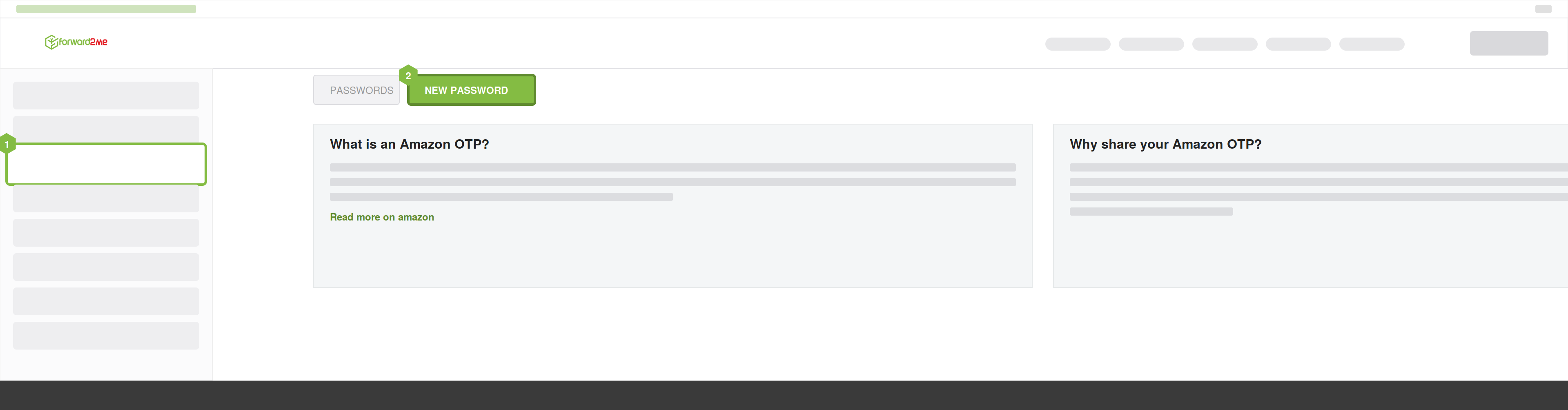
Even though the option is labelled for Amazon, it's where any PIN or OTP goes — so if you've received a delivery code from DPD or another courier, enter it here too.
What Happens Next
When your package is out for delivery, our warehouse team uses the OTP you provided to complete the secure handover with the courier. As long as you've entered it in your account, there's nothing more you need to do.
Timing: Enter Your OTP as Soon as You Receive It
A few things are worth knowing about how these codes work, especially if you're in a different time zone from the warehouse:
- The code is usually only issued on the day of delivery, often when the package is loaded onto the delivery vehicle — so you may not know in advance whether your order needs one.
- This can arrive at an awkward hour if you're far from the warehouse's time zone. It's best to enter the code as soon as you receive it, so it's ready when the driver arrives.
- Codes are usually valid for one day only. If delivery isn't completed that day, the code expires.
If a Delivery Attempt Fails
If a delivery can't be completed — for example, if the code wasn't entered in time — the courier will usually make another attempt, typically on the next working day. You don't normally need to book a new slot.
Because codes are single-use, a new code is usually issued for the next attempt. Check your email or your account with the retailer (for example, the "Track Package" section of the Amazon app) for the latest code, and enter the new code in your forward2me account so it's ready.
If you're unsure, or the delivery hasn't updated as expected, contact our Customer Experience team.